The Artificial Organizations AI Stack: The Best AI Tools for Leaders, Teams, and Builders
Artificial intelligence is evolving faster than any technology wave most organizations have experienced.
New tools appear every week, capabilities change every month, and most leaders quickly find themselves asking the same question: What tools should we actually use?
At Artificial Organizations, we work with executives, founders, and leadership teams who are redesigning how their organizations operate in the age of AI.
Through our accelerator programs, coaching engagements, and research, we see hundreds of AI workflows being tested inside real organizations.
Some tools create real leverage, others create noise.
This page captures the tools we consistently see delivering the most value for leaders and teams today.
Think of it as a living AI stack for building Artificial Organizations. We update it regularly as the ecosystem evolves.
How to Think About Your AI Stack
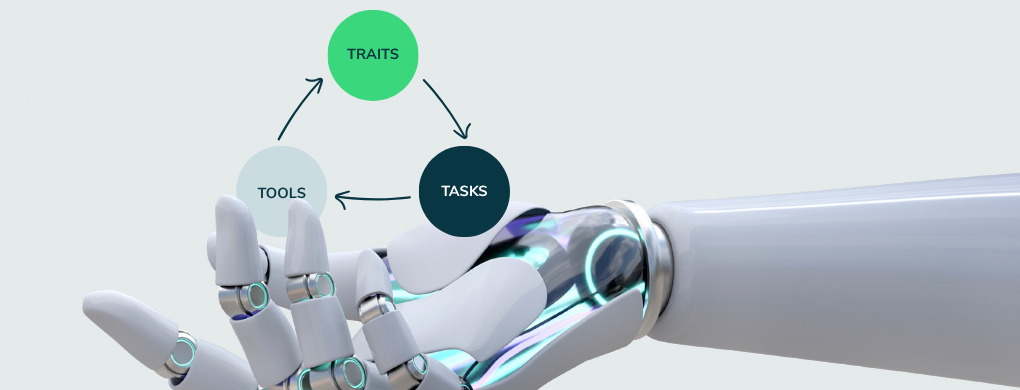
One of the biggest mistakes organizations make is starting with tools. In Artificial Organizations, we introduce the 3T model, a simple sequence for adopting AI effectively:
Traits → Tasks → Tools
First, understand how you and your team think and work best. Then identify the high-leverage tasks where better thinking and decision-making create disproportionate value. Only then should you select the tools that support those workflows.
The tools below are organized around the core capabilities leaders need to build AI-augmented operating systems, and build better judgment, speed and results with human AND machine intelligence.
Interested in a specific section — jump to it
The Artificial Organizations Recommended AI Stack
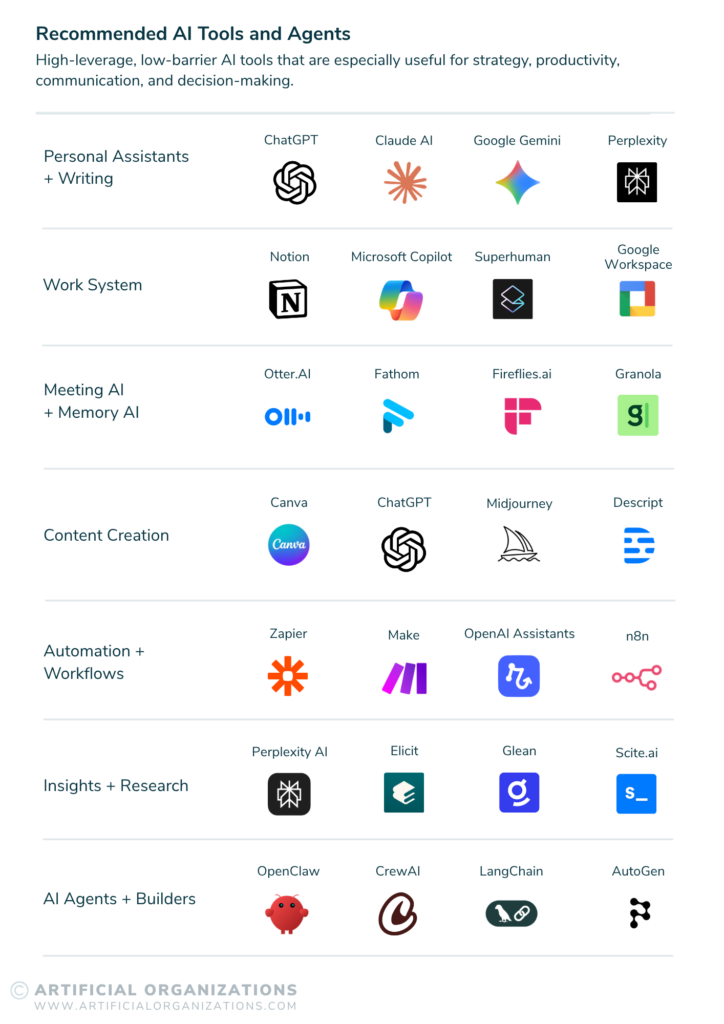
1. Personal Assistants + Writing AI
These tools act as thinking partners for leaders, helping synthesize ideas, draft communication, and pressure-test decisions.
ChatGPT

One of the most versatile AI assistants available. ChatGPT is widely used for writing, idea generation, synthesis, and reasoning support.
Pros
- Strong reasoning and synthesis capabilities
- Flexible across many workflows
- Large ecosystem of integrations and agents
Cons
- Requires good prompting discipline
- Context windows can limit extremely long conversations
Claude AI

Claude is known for its thoughtful reasoning and long-context capabilities, making it particularly useful for working with long documents.
Pros
- Excellent long-form analysis
- Strong reasoning style for strategy and writing
- Reliable for document interpretation
Cons
- Slightly fewer integrations than some competitors
- Slower response times for complex queries
Google Gemini

Gemini integrates deeply with Google’s ecosystem and is particularly useful for teams using Google Workspace.
Pros
- Native integration with Google Docs, Gmail, and Sheets
- Fast responses
- Good multimodal capabilities
Cons
- Reasoning quality can vary across tasks
- Less consistent for deep strategy work
Perplexity AI

Perplexity is a powerful AI search and research tool designed to provide real-time information with citations.
Pros
- Excellent research capability
- Real-time web data
- Strong citation transparency
Cons
- Less useful for writing and creative ideation
- Dependent on external data sources
2. Work Systems
AI becomes dramatically more powerful when embedded inside a work system where knowledge accumulates.
These platforms allow teams to capture thinking, organize work, and maintain institutional memory.
Notion

A flexible workspace combining documentation, databases, and AI-assisted knowledge management.
Pros
- Powerful knowledge management
- Flexible workflows
- Increasing AI integration
Cons
- Requires thoughtful structure to avoid complexity
- Can become cluttered if not maintained
Microsoft Copilot

Microsoft’s AI layer embedded across Office, Teams, and enterprise workflows.
Pros
- Deep integration with enterprise tools
- Strong productivity automation
- Secure enterprise architecture
Cons
- Works best within the Microsoft ecosystem
- Limited flexibility outside that environment
Superhuman

An AI-enhanced email platform designed to help professionals manage high communication volume.
Pros
- Excellent speed and productivity features
- AI-assisted writing and summarization
- Strong user experience
Cons
- Premium pricing
- Primarily focused on email workflows
Google Workspace

A widely used productivity ecosystem now integrating AI across its products.
Pros
- Familiar environment for many teams
- Strong collaboration capabilities
- Increasing AI support
Cons
- AI capabilities still evolving
- Limited customization compared to specialized tools
3. Meeting AI + Organizational Memory
Meetings are where most organizational decisions begin.
AI meeting tools capture conversations and convert them into structured knowledge.
This capability forms the foundation of the Capture → Transcribe → Synthesize → Act workflow described in Artificial Organizations.
Otter.ai
A widely used meeting transcription platform for capturing conversations.
Pros
- Reliable transcription
- Easy meeting summaries
- Strong integrations
Cons
- Limited deeper synthesis capabilities
- Requires manual review for best results
Fathom

A meeting assistant that automatically captures key moments and summaries.
Pros
- Simple setup
- Strong highlights and summaries
- Excellent for Zoom users
Cons
- Limited deeper analysis features
Fireflies.ai

A meeting intelligence platform designed for team collaboration.
Pros
- Good integrations across meeting platforms
- Searchable transcripts
- Collaboration features
Cons
- Interface can feel complex for new users
Granola

A newer tool focused on turning meeting notes into structured insights.
Pros
- Clean user experience
- Strong knowledge synthesis
Cons
- Still evolving as a platform
4. Content Creation Tools
AI dramatically accelerates the creation of visual, written, and multimedia content.
These tools help leaders communicate ideas quickly and clearly.
Canva

A powerful design platform with integrated AI for visual creation.
Pros
- Extremely easy to use
- Strong template ecosystem
- Fast content production
Cons
- Limited customization for advanced design needs
Midjourney

A leading AI image generation tool known for high-quality visuals.
Pros
- Exceptional image quality
- Powerful creative possibilities
Cons
- Requires prompt experimentation
- Limited traditional UI
Descript

A platform for editing audio and video through text-based workflows.
Pros
- Simple podcast and video editing
- AI voice and transcription features
Cons
- Best suited for content workflows
5. Automation + Workflow AI
Automation tools allow organizations to connect systems and create AI-powered workflows.
Zapier

One of the most widely used automation platforms.
Pros
- Massive integration ecosystem
- Easy automation setup
Cons
- Can become expensive at scale
Make

A powerful visual automation platform for complex workflows.
Pros
- Advanced automation capabilities
- Highly customizable
Cons
- Learning curve for beginners
N8n
An open-source automation platform increasingly used by AI builders.
Pros
- Highly flexible
- Strong for complex workflows
Cons
- Requires more technical setup
OpenAI Assistants
Tools for building custom AI agents and workflows.
Pros
- Highly customizable
- Enables AI-native systems
Cons
- Requires development resources
6. Insights + Research
These tools help leaders quickly explore research, insights, and complex information.
Perplexity AI

One of the fastest ways to explore real-time information.
Pros
- Reliable citations
- Fast research
Cons
- Less suited for creative ideation
Elicit
An AI research assistant designed for analyzing academic papers.
Pros
- Strong research synthesis
- Useful for deep knowledge exploration
Cons
- Narrower use cases
Glean
An enterprise knowledge search tool for internal information.
Pros
- Powerful enterprise search
- Cross-system knowledge discovery
Cons
- Enterprise-focused implementation
Scite.ai
A research tool that analyzes how academic papers cite one another.
Pros
- Excellent research validation
- Useful for evidence-based work
Cons
- Specialized research audience
AI Agent Builders
These tools allow organizations to build AI-native workflows and autonomous agents.
- OpenClaw
- CrewAI
- LangChain
- AutoGen
These platforms enable teams to design multi-agent AI systems that can execute complex tasks.
They are typically used by:
- AI engineering teams
- product teams
- AI-native startups
Barry O’Reilly’s Personal AI Stack
While the ecosystem evolves quickly, Barry’s personal stack focuses on a small number of tools used deeply.
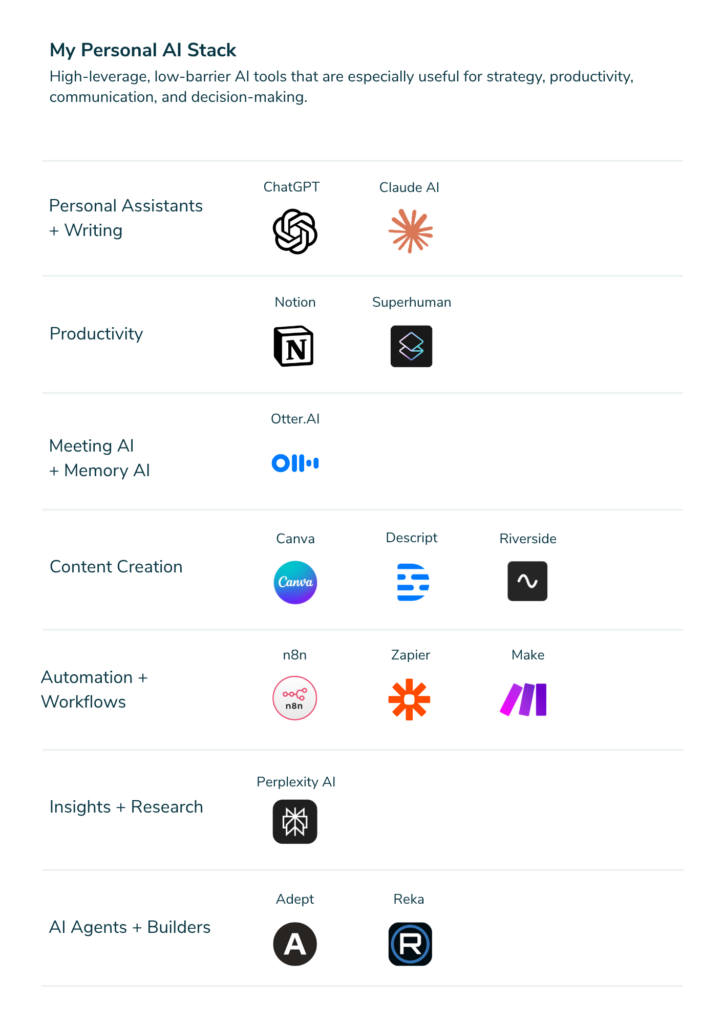
Personal Assistants
- ChatGPT
- Claude
Productivity
- Notion
- Superhuman
Meeting AI
- Otter.ai
Content Creation
- Canva
- Descript
- Riverside
Automation
- N8n
- Zapier
- Make
Research
- Perplexity AI
AI Builders
- Adept
- Reka
The goal is not to use more tools. It is to build workflows where AI amplifies thinking and decision-making.
The Stack Test
Many organizations accumulate AI tools without gaining real advantage. If you want to evaluate your own stack, ask three questions:
1. Does this tool accelerate decision-making?
If it doesn’t improve how quickly and clearly your team makes decisions, it’s probably noise.
2. Does it capture knowledge that would otherwise disappear?
The most valuable AI tools create organizational memory.
3. Does it compound over time?
Great AI workflows improve continuously. Weak ones stay static.If your AI stack passes these three tests, you’re likely building the foundations of an Artificial Organization.
Remember, experiments entertain curiosity. Stacks boost performance.
Build Your Artificial Organization
The tools on this page are only the beginning. Real advantage comes from how they are used together to create systems where:
- knowledge compounds
- decisions accelerate
- organizations learn faster
That is the core idea behind Artificial Organizations, and it is the work we help leaders build every day.
FAQ
Q1. What is an AI stack for leaders?
An AI stack for leaders is a set of tools and workflows that improve how leaders think, make decisions, and manage work using AI.
Q2. How should leaders choose AI tools?
Leaders should start with how they think and work, then identify high-leverage tasks, and only then choose tools that support those workflows.
Q3. What is the biggest mistake when building an AI stack?
The biggest mistake is starting with tools. Without clear workflows and decision needs, tools create noise instead of real performance gains.
Q4. What tools are essential in an AI stack?
Most effective stacks include AI assistants, meeting capture tools, work systems, research tools, and automation platforms that support decision-making.
Q5. How does an AI stack improve decision-making?
An AI stack improves decision-making by capturing information, synthesizing insights, and reducing the time needed to prepare and act on decisions.
Q6. What makes an AI stack effective?
An effective AI stack accelerates decisions, captures knowledge that would otherwise be lost, and improves continuously over time.
Q7. Do leaders need many AI tools to build an effective stack?
No. The best leaders use a small number of tools deeply. The goal is not more tools, but better workflows that improve thinking and results.